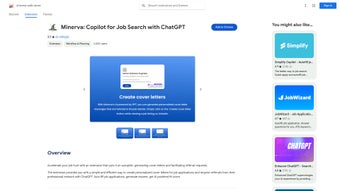

Download Minerva Copilot – AI‑Powered Job Search Extension for Chrome
Overview
In today’s competitive hiring landscape, job seekers need every advantage they can get. Minerva Copilot steps into that role as a Chrome extension that turns a tedious, manual job‑search routine into a semi‑automated, data‑driven experience. Powered by artificial intelligence, the tool helps you generate personalized cover letters, craft referral requests, and even score how well you match a given posting.
The result is a faster, more targeted application process that frees you from repetitive copy‑and‑paste work and lets you focus on the strategic aspects of your career move. While it currently runs exclusively on Google Chrome, Minerva Copilot’s lightweight design works seamlessly across Windows, macOS, and Chrome OS devices, making it a practical companion for most desktop users. Privacy‑conscious users will appreciate the developer’s clear stance: the extension does **not** collect, sell, or store personal data beyond what is needed for the AI calculations, and all processing happens locally or via secure, anonymized API calls.
The interface is built for ease‑of‑use, featuring a clean toolbar button, contextual pop‑ups, and an “autopilot” mode that can run in the background while you browse job boards. Though the lack of multi‑language support may limit non‑English speakers, the core functionality—cover‑letter generation, referral outreach, and fit‑score analysis—covers the majority of needs for English‑speaking professionals. Whether you’re a recent graduate, a mid‑career switcher, or an executive hunting for senior roles, Minerva Copilot aims to reduce friction, increase relevance, and ultimately boost your interview rate.
The following sections dive deeper into its standout features, the simple installation process, system compatibility, a balanced look at pros and cons, and answers to the most common questions.
Key Features that Set Minerva Copilot Apart
- AI‑Generated Cover Letters: Input a job description and let the engine draft a customized cover letter in seconds, preserving your tone and key achievements.
- Referral Request Builder: Create concise, polite referral messages that you can send directly to contacts on LinkedIn or email.
- Fit‑Score Analyzer: An algorithm compares your resume keywords with the posting, delivering a percentage match that guides you toward high‑probability applications.
- Autopilot Mode: Enable a background workflow that automatically pulls new listings from supported job boards, generates cover letters, and queues them for review.
- One‑Click Export: Export generated documents to PDF or copy them to the clipboard for immediate submission.
- Privacy‑First Architecture: No personal data is stored on external servers; all sensitive processing occurs locally or via encrypted, anonymized calls.
- Lightweight & Fast: The extension adds less than 5 MB to Chrome’s memory footprint and loads instantly on popular job‑search sites.
- Cross‑Device Sync (Chrome Sync): Your preferences, templates, and saved scores sync across any Chrome‑logged device, ensuring continuity.
Beyond the headline capabilities, Minerva Copilot offers several subtle enhancements that improve daily workflow. For instance, the tool integrates with common ATS‑friendly job boards like Indeed, Glassdoor, and LinkedIn, recognizing the application fields and inserting the AI‑crafted content directly where it belongs. Users can also set custom keywords to prioritize certain skills or experiences, which the fit‑score algorithm respects when calculating relevance.
The extension’s UI includes a real‑time preview pane, letting you tweak tone, length, or specific bullet points before finalizing the document. Moreover, the autopilot mode isn’t a “set‑and‑forget” black box; you receive a daily summary email that lists all generated cover letters and referral drafts, giving you the final approval step. This hybrid approach balances automation with human oversight, a crucial factor for recruiters who value authenticity.
Finally, Minerva Copilot’s update mechanism is seamless—new AI models and feature tweaks are pushed automatically through the Chrome Web Store, ensuring you always have the latest improvements without manual downloads.
Installation, Usage Guide & Compatibility
Getting started with Minerva Copilot is intentionally straightforward. First, open the Chrome Web Store and search for “Minerva Copilot.” Click **Add to Chrome**, confirm the permission request (which includes access to the sites you visit for job searching), and the extension icon will appear next to the address bar. The initial setup wizard runs the first time you click the icon: you’ll be prompted to upload your latest resume (PDF or DOCX) and optionally connect your LinkedIn profile for smoother referral handling. This data is stored locally and encrypted; it is never transmitted unless you explicitly invoke the AI services, which happen over HTTPS.
Once installed, the workflow is as follows:
- Navigate to a job posting on a supported board.
- Click the Minerva Copilot icon; a sidebar slides in displaying the job title, description, and a “Generate Cover Letter” button.
- Press the button. Within a few seconds, the AI drafts a cover letter, highlights a fit‑score, and offers a “Save Draft” or “Copy to Clipboard” option.
- If you need a referral, click the “Create Referral” tab, select a contact from your LinkedIn connections, and the tool writes a concise request.
- Review the content, make any manual edits, then paste it into the application form or attach the PDF.
Supported Platforms: Minerva Copilot runs on any device that can run Google Chrome, including Windows 10/11, macOS 10.14+ (Catalina and later), Chrome OS, and Linux distributions with Chrome installed. Because the extension relies on Chrome’s extension APIs, mobile browsers (Chrome on Android or iOS) do not support it at this time. However, desktop users can sync their settings across devices using Chrome Sync, allowing a seamless transition from a work laptop to a home PC.
Updating the extension is handled automatically through Chrome’s standard update cycle, typically every few days. If you prefer manual control, you can visit chrome://extensions, enable “Developer mode,” and click “Update” to force a check. Should you encounter any issues, the “Help & Support” link in the sidebar opens a dedicated knowledge base, and a built‑in feedback form lets you report bugs directly to the development team. Overall, the installation process takes less than two minutes, and the day‑to‑day usage requires only a few clicks, making it a low‑maintenance tool that adds real value to your job‑search routine.
Pros and Cons – A Balanced Look
Pros
- Significant time savings by automating cover‑letter creation and referral drafting.
- AI‑driven fit‑score helps prioritize high‑match opportunities.
- Privacy‑first design; no personal data is sold or stored on external servers.
- Lightweight, with minimal impact on browser performance.
- Cross‑device sync via Chrome ensures continuity between work and personal computers.
- Regular automatic updates keep AI models current without user intervention.
- Intuitive UI that integrates directly into popular job boards.
Cons
- Limited to Google Chrome; no native support for Firefox, Edge, or Safari.
- Only available in English; multi‑language support is not yet implemented.
- Autopilot mode requires an internet connection for AI processing.
- Advanced customization (e.g., tone presets) is currently basic.
- Mobile browsers are not supported, restricting use on smartphones or tablets.
Weighing these points, Minerva Copilot shines for users who spend most of their job‑search time on desktop Chrome and value speed over granular language control. The privacy stance and lightweight footprint are especially compelling for security‑conscious professionals. On the downside, the lack of cross‑browser compatibility and multilingual options may be deal‑breakers for some global job seekers. Nevertheless, for its core audience—English‑speaking professionals hunting on major job boards—the benefits clearly outweigh the limitations.
Frequently Asked Questions
Is Minerva Copilot free to use?
Yes, the core features—including cover‑letter generation, referral drafting, and fit‑score analysis—are completely free. A premium tier is planned for future release, offering advanced tone controls and multi‑language support.
Does the extension store my personal data?
No. Minerva Copilot processes your resume and job descriptions locally or via encrypted API calls that do not retain personal identifiers. The developer explicitly states that no data is sold or permanently stored.
Can I use Minerva Copilot on macOS?
Absolutely. As long as you have Google Chrome installed on macOS 10.14 (Catalina) or later, the extension works identically to its Windows counterpart.
How does the fit‑score algorithm work?
The AI scans both your uploaded resume and the job description, extracting key skills, experiences, and keywords. It then calculates a similarity percentage based on overlap and relevance, presenting the result as a clear fit‑score.
What job boards are supported?
Minerva Copilot currently integrates with major boards such as LinkedIn, Indeed, Glassdoor, and ZipRecruiter. Support for additional sites is being added regularly based on user feedback.
If you’re ready to transform the way you apply for jobs, download Minerva Copilot today. Experience a faster, smarter, and more secure job‑search workflow—your next interview could be just a click away.



.png)



